The versions, regulatory timelines and technical arrangements described reflect the position on the publication date.
News and updates: your quarterly briefing
Exchange data between your business applications!
The latest Tempolia release, version 7.1, is accompanied by the official launch of our web API architecture: https://api.tempolia.fr/. It enables automated integration with other software and reciprocal exchanges of services or data.
Thanks to the flexibility of our web platform, we can offer integrations with your accounting or HR applications. As part of our support, we handle generic integration development for the best-known applications in France that support third-party APIs.
Integrations can operate in real time or at a specific time of day through a scheduled automatic “cron” task.
- Tell us your functional requirements, the relevant software version and the technical information supplied by your other provider.
- We analyse your request and, where appropriate, send you a quotation.
- If necessary, we discuss the integration with your other software vendor.
- We agree a schedule with you for implementing the integrations.

Paperless invoicing for 2020
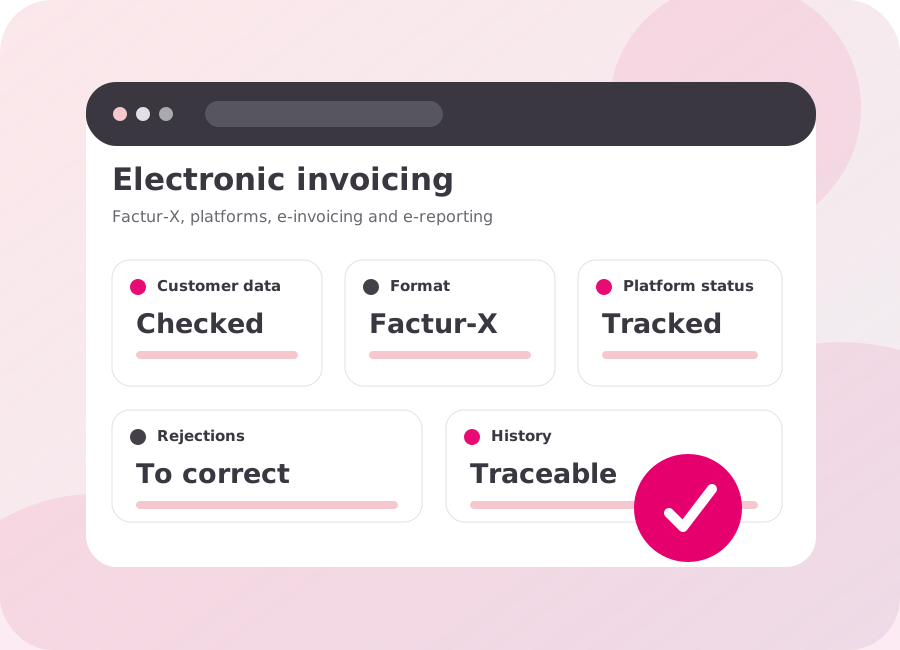
According to Order no. 2014-697 of 26 June 2014, from 2020 all French businesses will have to issue digital invoices.
This order on the development of electronic invoicing defines the timetable for mandatory electronic invoicing by invoice issuers:
- 1 January 2019: mandatory for SMEs.
- 1 January 2020: mandatory for microbusinesses.
What are the benefits?
- Lower costs — postage, paper printing, stamps and more.
- Reduced carbon footprint.
- Productivity gains — fewer late payments, faster collection and less invoice-processing time.
- Smoother exchanges.
- Competitive advantage — paperless requirements are increasingly common in public tenders.
- Security — electronic or digital signature.
- No paper storage and optimised archiving.
Paperless invoicing replaces paper documents with digital ones in accordance with legal requirements and tax regulations. To implement it, you need to sign your PDFs with an electronic signature.
Tempolia helps you optimise this procedure.
What is an electronic signature?
An electronic signature is a mechanism that guarantees the integrity of an electronic document and authenticates its author — ensuring that it has not been modified between the time the author signed it and the time it is viewed.
A handwritten signature on a printed document that is subsequently scanned does not make that document an original; it remains a simple copy.
Setting up electronic signatures with Tempolia
To sign PDF documents, you must obtain a certificate from a competent certification authority — a certification authority or electronic certification service provider.
This PKCS #12 or PKCS #7 certificate must be installed in a certificate store on your computer. You must then generate a password-protected certificate key. This is done in “Internet Options” using the “Certificates” button on the “Content” tab.
This produces a PFX file with the name and associated password you defined. You then simply select this PFX file in the corresponding field in the Tempolia options and enter its password.
You can also complete optional fields such as the reason, location and signature contact. Tempolia must check this configuration before documents can be signed.
The signature applied to PDF documents will not be visible on the pages, but an additional “Signatures” icon will appear when the PDF is opened.
The signed PDF cannot be modified without creating a copy, which will need to be signed again.
News from the profession
According to the French professional body for accountants, 80% of SME and microbusiness leaders primarily trust their accountants to help them through the digital transformation of their operations.
Would you like to use digital signatures, make your invoices paperless and issue them securely? Call us on +33 1 43 79 25 18 to optimise your invoicing processes and improve productivity.
Do you not yet have a customer account? Contact our sales team on +33 1 43 79 25 18.
See also: querying business data with MCP and AI.