
“Show me invoices awaiting approval that contain an anomaly.”
The assistant searches documents by status, company, customer or period, then summarises the points to review.
Tempolia AI, included in all our plans, helps you make the most of your management data. You can also centralise your agentic capabilities and use our MCP server alongside MCP servers from other software. With 75 structured actions, Tempolia's MCP server enables an authorised agentic AI to search, analyse or update objects within 144 permission levels.

Claude, Gemini, Mistral, Perplexity, GitHub Copilot, DeepSeek or another assistant can be part of the solution when its environment can use MCP or an authorised tool gateway.
 Claude
 Gemini
 Mistral AI
 Perplexity
 GitHub Copilot
 DeepSeek
The assistant searches documents by status, company, customer or period, then summarises the points to review.
It brings together the budget, actuals, invoicing and remaining work within the scope available to the user.
It uses balances, due dates and payments to prepare a reminder review.
The MCP server can call the time-creation tool with the same validations and permissions as the interface.
The response can bring together engagements, budgets, invoices, balances, events, documents and the latest authorised activities.
The assistant identifies incomplete periods according to the manager's rules and scope.
A batch action can be prepared, presented for confirmation and executed with traceability.
Tempolia AI uses authorised reports and returns the results as a summary or file.
The assistant identifies the object, filters, period and expected result.
Tempolia checks the user, permissions and data scope.
Creation or modification actions may require explicit confirmation.
The call, result and sensitive operations are logged according to their nature.
The MCP server exposes 75 structured actions for search, retrieval, analysis, creation or updates across customers, engagements, time, expenses, tasks, staff, documents and reports.
The protocol does not provide unrestricted database access. Every call passes through Tempolia authentication and permissions. The available tools can be restricted by profile.
The assistant cannot see data that the signed-in profile cannot access.
A creation, modification or deletion may require explicit approval.
Approved objects, particularly tax-related records, remain subject to integrity and correction rules.
The filters, sources and objects used must be explainable to the user.
No. The MCP server exposes structured tools: the assistant calls a Tempolia action with controlled parameters and has no unrestricted SQL access. Every call is authenticated and filtered by the user’s permissions and data scope; the result and sensitive operations are logged according to their nature.
Only when the relevant creation or update tool is enabled and the user has the required permissions for the object and scope concerned. Tempolia applies the same validations as the interface; explicit confirmation may be required before the action, which remains traceable.
Claude, Gemini, Mistral, Perplexity, GitHub Copilot, DeepSeek or any assistant whose environment supports MCP or an authorised tool gateway can be connected using the appropriate Tempolia settings. Compatibility grants no extra permissions: every call remains subject to authentication, profile and data scope.
Yes. The tool scope can be limited to search, retrieval, analysis and reporting, without exposing creation or update actions. Tempolia permissions also continue to filter visible companies, objects and data; write tools are enabled only for a defined and tested use case.
Choose a frequent, measurable question, then specify the data, filters, permissions, possible actions and expected result. Test the case in a controlled environment with explicit success criteria; sources, objects used, confirmation steps and responsibilities must remain understandable to the user.
They cover search, retrieval, analysis and, subject to permissions, the creation or update of customers, engagements, time, expenses, tasks, staff, documents and reports. The actions actually available depend on profile and enabled scope; they return structured responses without opening direct database access.
Every tool call is authenticated and checked by Tempolia. The assistant inherits the authorised scope for companies, features, objects, actions and data and cannot widen it; interface validations still apply, while confirmation and logging can be required for sensitive operations.
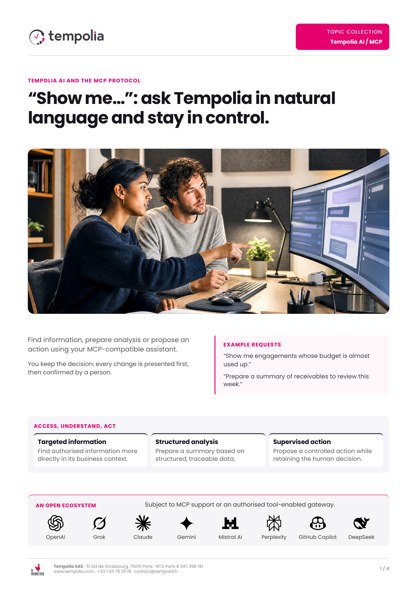 Topic Brochure
Query business data and use actions governed by access permissions.
Open the PDFFind an invoice, analyse a budget or record time: choose a first task. We’ll look together at the data and permissions needed.