

Payroll production
Tempolia exchanges data with your accounting, document management, HRIS, BI, CRM and e-signature tools without seeking to replace the applications that remain your systems of record.

Save time and improve reliability.
Tempolia transfers invoices, credit notes, payments, expenses, analytical entries and PDF documents according to the target software’s capabilities.
The dedicated page clearly distinguishes API connectors from file exports and lists every supported software package.








These integrations complement the accounting APIs with payroll and HR, CRM, signatures, banking, company identification and automated receipt processing.
Payroll production

HR and absence data

CRM data

Electronic signatures

Bank accounts and feeds

Company identification

Expense receipt OCR
Everial, Fulll, ACD, Sage, Cegid Loop, Inqom, Pennylane and MyUnisoft.
View connectorsThe flexibility of the Tempolia web platform makes it possible to build controlled data exchanges with your accounting or HR applications, ERP, CRM, BI platform or any other business tool through our REST API.
For a bespoke integration, you can build your own data exchanges using the API. This work requires a developer experienced in REST APIs and data integration.
Depending on the scope and permissions granted, your integration can read or manage customers, engagements, staff, time, expenses, invoices and documents.
Use the Tempolia apps for Make and Zapier to automate workflows between your tools in a visual editor. The API portal guides walk you through installation and setting up your first automation.
 Make
MakeBuild scenarios to exchange data between Tempolia, your CRM and your other applications. For example, create an engagement from a customer in your CRM, then schedule data exchanges or trigger them when an event occurs in Tempolia.
Read the Make setup guide (French) Zapier
Use Zaps to connect an event to one or more actions in your tools. For example, creating a customer in Tempolia can trigger an update in your CRM and a notification to your team.
Read the Zapier setup guide (French)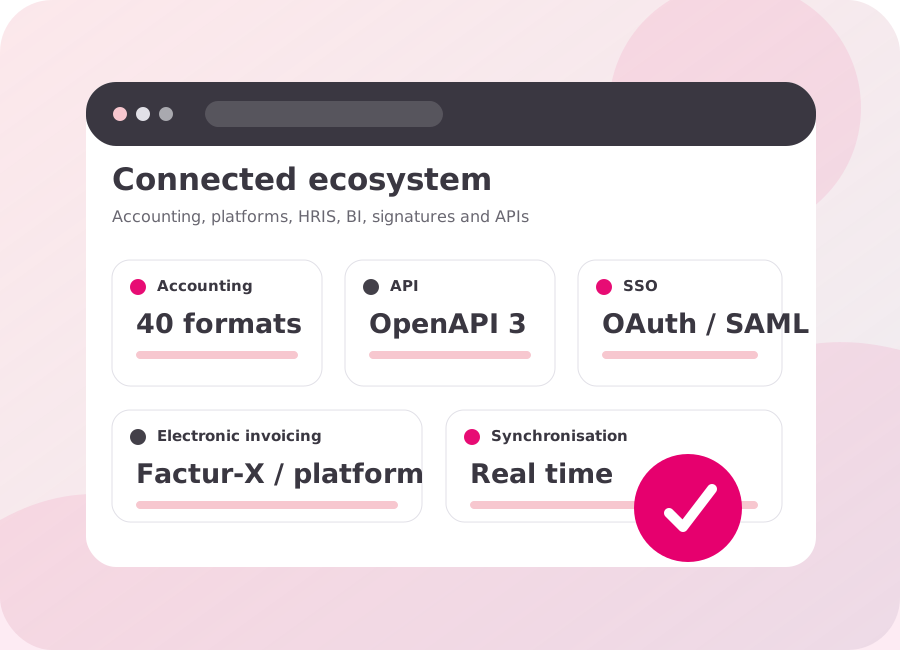
We can also develop your integration. Bespoke developments are quoted once we receive your specifications, or delivered on a time-and-materials basis for flexible support.
We define the master object, direction of flow, frequency, identifiers, controls, errors and recovery procedures to avoid ambiguous synchronisation and duplicate systems of record.
Exports to the market's leading software packages.
Read and write access according to scope and permissions.
Authentication and integration with your information system.
Data exchange with management and human resources tools.
Documents and signature workflows according to the available interfaces.
PSD2 retrieval and matching against payments.
Journals, accounts, third parties, VAT and dimensions are mapped to the target software's format.
HR data required for capacity planning is retrieved under the agreed permissions and rules.
Bridge streamlines data-feed collection and matching with invoices.
API calls use the same permissions and controls as the Tempolia interface.
Yes. Tempolia’s REST API is documented in OpenAPI 3.0; the objects and actions available depend on the plan, account permissions and profile used. The developer portal and Swagger documentation let teams review endpoints, parameters and responses before defining authentication, expected volumes and error handling.
Validation covers the format, journals, accounts, VAT codes, analytical dimensions, attachments and expected return statuses. A representative set of entries is transferred and reconciled in the target software; totals, duplicates, rejections and recovery rules are checked before launch.
Yes. The requirement must define the objects, flow direction, frequency, volumes, authentication, statuses and error handling. Representative data is then used to validate mappings, permissions and recovery scenarios, before operational ownership and maintenance of the flow are agreed.
Access credentials, permission scope and authorised companies are limited to what the integration actually needs. Secret keys must be renewed in accordance with your security policy and that of your API provider; calls, errors and sensitive operations are monitored so that an incident can be diagnosed and access revoked when necessary.
Monitoring should show the latest exchange date, processed volumes, rejections, retries and the identifiers of transferred objects. Owners and response procedures are agreed in advance; an alert or periodic control helps detect an interrupted flow or data discrepancy promptly.
 Topic Brochure
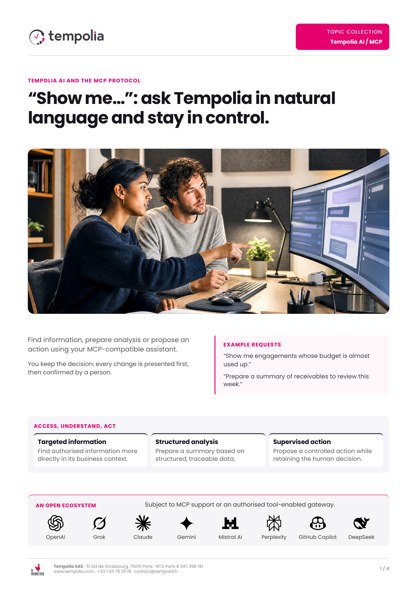
Query business data and use actions governed by access permissions.
Open the PDFAccounting, payroll, HRIS, document management or BI: tell us which tools you use. We’ll review the data to exchange and the access required.