
Online help at any time
Search Cloud Help by keyword for illustrated procedures, screenshots, training and assistance panels integrated into the software.
Questions about plans, setup or using Tempolia? Find answers below. For detailed instructions, visit the software help centre.
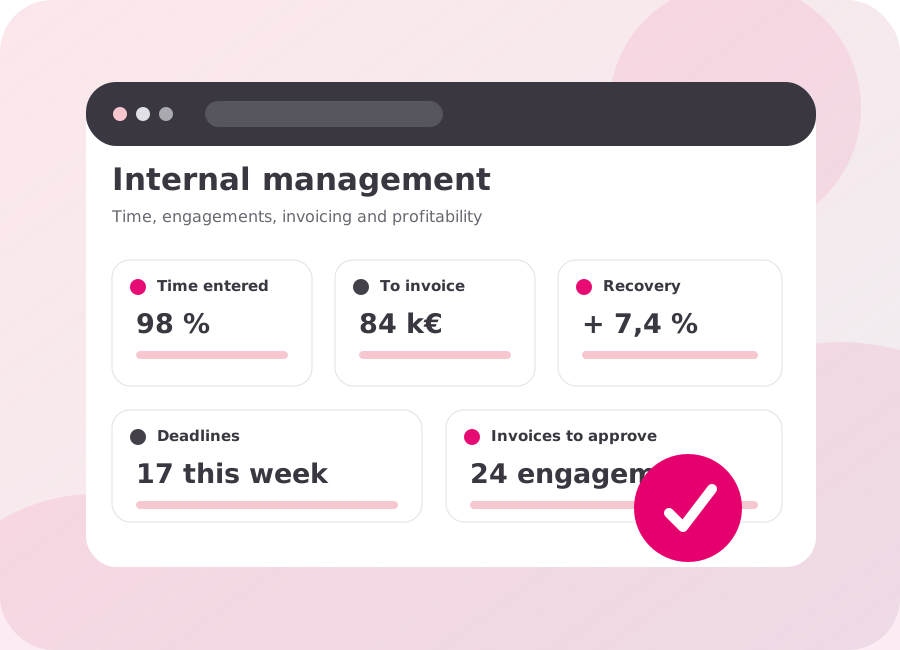
Tempolia is designed for professional services organisations that track time, expenses, engagements or projects, budgets and potentially an invoicing cycle: accounting firms, law firms, engineering consultancies, IT services firms, businesses and non-profits. Its shared foundation connects delivery, management and, depending on the plan, invoicing without imposing a general-purpose ERP.
Corporate structures time, expenses, budgets, capacity and analysis. Expert adds complete internal management, invoicing, payments and reminders; Enterprise includes advanced options and integrations. The choice should be validated against the features, users, permissions and flows actually required, ideally using a representative case in a demo.
Yes. For an independent professional working alone, the stated total monthly fixed price is €29 excluding VAT for Corporate, €49 for Expert and €79 for Enterprise, billed annually. Each level covers a different scope; the Pricing page lets you check the features, options and conditions to retain before choosing.
Deployment begins by defining companies, users, permissions, master data, processes and migration requirements. Configuration, imports and training are then organised in stages to minimise disruption to existing practices; important rules and outputs are checked with representative cases before launch.
Yes, through imports or a specific service, depending on the format, quality and selected scope. An inventory and sample identify mappings, duplicates, history and documents to migrate; feasibility, expected checks and pricing are agreed before the final import.
Every Tempolia plan includes direct support by phone and email, Monday to Friday from 9:30 a.m. to 12:30 p.m. and from 2 p.m. to 5:30 p.m. (Paris time). Our team normally replies within a few hours and can address questions relating to your use or configuration. Cloud Help, its illustrated procedures and online training remain available at any time; tailored one- or two-hour sessions can complement this support.
Data is hosted in France, and every account has its own database, separate from those of other organisations. A backup is made every night to another data centre, with daily, weekly and monthly history; data return can also use exports and the API according to the agreed scope.
Depending on your question, you can find the answer independently or speak directly with our team.
Search Cloud Help by keyword for illustrated procedures, screenshots, training and assistance panels integrated into the software.
Our team is available by phone at +33 (0)1 43 79 25 18 and by email, Monday to Friday, from 9:30 a.m. to 12:30 p.m. and from 2 p.m. to 5:30 p.m. (Paris time).
We normally reply within a few hours. Tell us which screen is involved and the expected result, and attach a screenshot if possible to speed up diagnosis.
Tempolia offers several entry methods: calendar, lines, tables, monthly entry and timer. Time is linked to the relevant customers, engagements or projects and tasks; checks and reminders flag incomplete periods so managers can resolve them before invoicing, analysis or approval.
Expenses are linked to the staff member, customer and engagement or project, together with the supporting document. OCR helps read useful information; the same record can then be checked for reimbursement, rebilling and the supported accounting flow without losing its link to the source document.
Invoices can be prepared from actuals, fixed fees, subscriptions, deposits, quantities, calculation formulas or progress. Time, expenses, budgets, phases and other engagement data feed the lines according to the contract; the invoice remains in a review stage before final approval and issue.
Yes. Prepared invoices remain in a review stage where an authorised user can check or correct the source, lines, amounts, customer, engagement, template and due date. Issue occurs only after approval, producing the final document, its invoice number, PDF and the expected Factur-X data.
Yes. The Expert plan covers payments, reconciliation, SEPA direct debits and rejections, aged receivables, paper or email reminders and accounting exports. Balances and due dates remain linked to invoices, helping teams target overdue items and follow the cycle through to collection.
Reports and pivot tables analyse time, costs, budgets, capacity, progress, margins, recovery, invoicing, receivables and customer balances. Metrics can be combined by customer, engagement, project, activity, staff member, task or period; exports extend the analysis in Excel, PDF or Power BI depending on the plan.
Yes. Tempolia generates a Factur-X invoice that combines a readable PDF with structured XML data, after the document has been reviewed and approved. This format prepares the electronic exchange, but the workflow with the approved platform, statuses and rejections should still be tested with real cases before launch.
Tempolia prepares invoices and can exchange with the main approved platforms through available interfaces and Factur-X Extended, UBL, CII and AFNOR flows. A PA is connected when its documentation and technical interface are available; invoices, directory data, statuses, rejections and recovery scenarios are validated with real cases.
For the relevant features, Tempolia applies integrity, security, retention, archiving and traceability mechanisms. An individual certificate of compliance with Article 286 of the French Tax Code is available for the customer and version used; in parallel, the product is working towards category C NF525 certification.
Data remains the customer’s property, can be exported and is covered by retained backups. The portability plan defines the objects, documents, formats, schedule and return checks; tax archiving arrangements depend on the features used and the applicable regulatory framework.
Tempolia uses HTTPS, granular permissions by profile and scope, logging of sensitive actions, OAuth2 and, depending on the plan, SAML SSO. Every account has its own database; data is hosted in France and backed up to another data centre, while exports and the API support portability.
This sales FAQ answers selection, scope and deployment questions. Cloud Help describes day-to-day use with procedures and screens, complemented by online training; Tempolia support can assist when an answer depends on the customer’s specific configuration or context.
This FAQ covers sales, functional and regulatory questions. Detailed procedures are also available in the user help for our Tempolia product.
Tell us what you need. Our team will answer your questions and can show you the relevant features in a demo.